Download the g777 App APK for Android
Get the official g777 App on your Android phone. Cricket betting, live casino, crash games and slots — all in one free download. Works on Android 7.0 and above. Install takes under two minutes.
Android 7.0+ · 28 MB · Free & Safe · 18+ only
g777 App Info & Direct Download
The table below lists all the technical details about the current g777 App release. Always download from this page to make sure you get the official, up-to-date APK file.
| Detail | Value |
|---|---|
| App Version | 2.8.18 |
| APK File Size | 28 MB |
| Minimum Android | Android 7.0 (Nougat) or higher |
| Last Updated | 9 November 2026 |
| Price | Free |
| Languages | English / Bangla |
| Available on Play Store? | No — direct APK download only |
| Payments Supported | bKash, Nagad, Rocket, Upay, Bank Transfer |
Scan to Download
Point your phone camera at this QR code to go directly to the g777 App download page. Works on any Android device with a camera.
Or visit g-777.xyz/g-777-app/ in your browser
Before You Download
- You need a g777 account to use the app. Register here first if you don't have one.
- The APK file is not on Google Play. You need to allow installs from unknown sources (see the steps below).
- Make sure you have at least 60 MB of free storage before downloading.
- Already registered? Log in after installing.
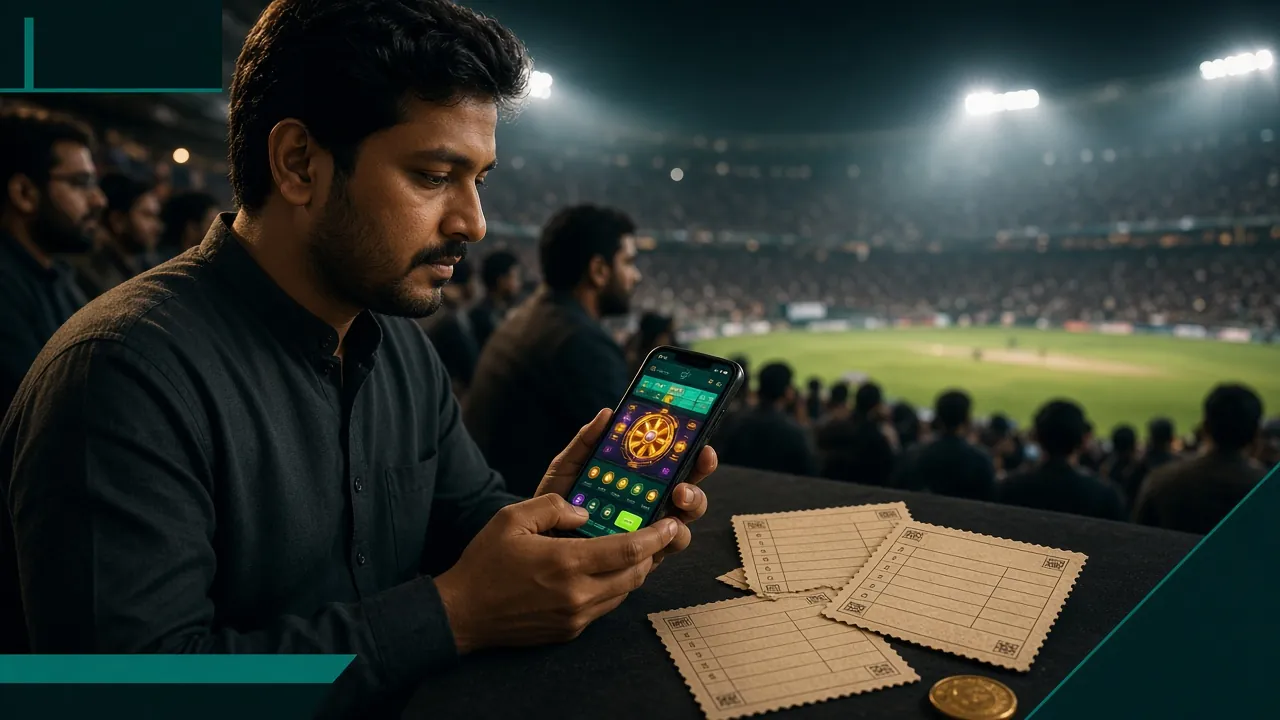
Built for Bangladesh — Play on Your Phone
The g777 App is designed for mobile-first players in Bangladesh. Low data usage, fast loading on 4G connections, and full support for bKash and Nagad top-ups inside the app.
Deposits in 5 Minutes
Top up with bKash or Nagad. Your balance appears in the app within 5 minutes, minimum ৳100.
Withdrawals in 22 Minutes
Cash out to your bKash or bank account. Average processing time is 22 minutes, minimum ৳900.
Live Cricket & T20 Odds
Follow BPL, IPL, T20, and ODI matches. In-play betting updates in real time — directly inside the app.
24/7 Live Chat Support
Reach the support team directly from the app at any hour. No need to open a browser.
g777 App vs Web Version — Side by Side
Both the app and the browser version share the same account and wallet. But there are real differences in speed, features, and convenience. Here is a direct comparison to help you decide.
| Feature | Android App | Mobile Browser | Desktop Browser |
|---|---|---|---|
| Loading Speed | Fastest | Moderate | Moderate |
| Push Notifications | Yes | No | No |
| bKash / Nagad Deposit Inside | Yes | Yes | Yes |
| Cricket Live Betting | Yes | Yes | Yes |
| Fingerprint / PIN Login | Yes | No | No |
| Slots & Live Casino | Yes | Yes | Yes |
| Crash Games (Aviator, etc.) | Yes | Yes | Yes |
| Fishing Games | Yes | Partial (some games) | Yes |
| Works Offline (Browsing) | Limited (cached menu) | No | No |
| Data Usage (per hour) | Lower (~40 MB) | Higher (~65 MB) | Higher (~70 MB) |
| iOS Support | No (Android only) | Yes (all browsers) | Yes |
| 24/7 Live Chat Inside | Yes | Yes | Yes |
iOS users: the native app is not available on the App Store. Use Safari on iPhone and add g-777.xyz to your home screen for a near-app experience (see steps below).
Security, Privacy & Permissions the g777 App Uses
The g777 App is scanned and verified before every release. It requests only the permissions it genuinely needs. Here is a plain-English breakdown of what the app does — and does not — access on your device.
SSL Encryption on All Traffic
Every connection between the g777 App and its servers uses 256-bit SSL encryption. Your login credentials, payment details, and betting history are never sent over plain HTTP. This applies to deposits and withdrawals via bKash, Nagad, Rocket, Upay, and bank transfer.
Storage Permission — Why It Is Needed
The app requests access to your device storage only to save the APK update file during an in-app upgrade. It does not read your personal photos, videos, or documents. You can revoke this permission after installation from Android Settings > Apps > g777 > Permissions.
Network Access — Internet Only
The app needs internet access to load games, process payments, and show live cricket odds. It does not use Bluetooth, NFC, microphone, camera, or location services. No data is shared with third parties outside of the g777 platform and its licensed game providers (Pragmatic Play, PG Soft, Playtech, etc.).
Push Notifications — You Control Them
The app can send push notifications for match results, deposit confirmations, and bonus alerts. Notifications are opt-in — Android will ask for your permission on first launch. You can turn them off at any time in your phone's notification settings without affecting your account or gameplay.
How to Install the g777 APK on Android
Because this is a direct APK download (not from Google Play), Android requires one extra setting before it will install. Follow these five steps — the whole process takes about two minutes.
-
Allow Unknown Sources
Go to Settings → Security → Install Unknown Apps on your Android phone. Find your browser (Chrome or Firefox) and toggle "Allow from this source" to ON. This tells Android it is safe to install APK files downloaded through that browser. You only need to do this once.
-
Download the APK
Tap the "Download APK" button on this page or scan the QR code above. Your browser will save the file g-777.apk (28 MB) to your Downloads folder. Make sure your internet connection is stable during the download to avoid a corrupted file.
-
Open the File
Open your phone's Files or Downloads app and tap g-777.apk. A system dialog will appear showing the app name, version, and permissions it requests. Review the list — it should only show Storage and Internet. Tap "Install" to proceed.
-
Wait for Installation
Android will install the g777 App in about 10–20 seconds. When you see "App installed", tap "Open" to launch it immediately, or find the g777 icon on your home screen or app drawer. Do not tap "Done" if you want to open it straight away.
-
Log In or Register
If you already have a g777 account, enter your username and password and tap Log In. New player? Tap "Register" inside the app or create your account here first. After logging in, deposit from ৳100 via bKash or Nagad and start playing.
iPhone / iOS Users — Add g777 to Your Home Screen
There is no g777 App for iPhone on the App Store. The best option for iOS is to open g-777.xyz in Safari and save it as a web app. It looks and works like a native app on your home screen.
-
1
Open Safari on your iPhone. Type g-777.xyz in the address bar and load the site. Use Safari specifically — this feature does not work in Chrome or Firefox on iOS.
-
2
Tap the Share button (the box with an arrow pointing up) at the bottom of the screen. Scroll down the share menu until you see "Add to Home Screen".
-
3
Tap "Add to Home Screen" and then tap "Add" in the top-right corner. The g777 icon will appear on your iPhone home screen just like an app.
-
4
Tap the g777 icon on your home screen to open it in full-screen mode. Log in with your existing account or register a new one. All games, deposits, and withdrawals work the same way.
iOS Limitations vs Android App
- No push notifications on iOS (Safari web apps do not support background notifications on older iOS versions).
- No fingerprint or Face ID login — you will type your password each time.
- Game loading speed depends on your Safari version and iOS version.
- All deposits and withdrawals via bKash and Nagad work normally through the Safari web app.
- Cricket, slots, live casino, crash games, and fishing games are all available on iOS through the browser.
For the best experience — push notifications, faster loading, fingerprint login — use an Android phone and download the g777 APK above.
Six Things You Can Do Inside the g777 App
The g777 App brings together every product on the platform. Here are the six main areas — with the game providers and RTP numbers from the real game lobby.
Cricket & Sports Betting
Bet on BPL, IPL, T20, and ODI matches live inside the app. In-play odds update in real time. Pre-match markets cover runs per over, top batsman, match winner, and 1X2 options. Minimum bet starts at ৳1. A full live score tracker is built in — no need to switch apps.
Slots — Over 1,900 Games
Play Callbreak (RTP 96.2%), Butterfly Blossom (RTP 95.8%), and Dragon of Demons (RTP 97.4%) from Pragmatic Play, PG Soft, Playtech, JILI, and KA Gaming. Bets start from ৳1 on most titles. The full 1,900-game lobby loads directly inside the g777 App without any browser.
Live Casino with Real Dealers
Roulette, baccarat, blackjack, and Dragon Tiger with HD video streams from Pragmatic Play Live and Playtech. The app handles live streams well on a standard 4G connection, keeping buffering minimal during peak hours like BPL match evenings.
Crash Games — Aviator & Others
Spribe's Dragon Hatch (RTP 96.6%) and other crash-style games are fully touch-optimised. Cash out at any multiplier with a single tap. The app gives faster reaction time than a browser tab — important when the multiplier is climbing fast. See the full Aviator & Crash guide.
Fishing Games — CQ9 & PG Soft
King of Fishing by CQ9 (RTP 97.3%), Fierce Fishing by PG Soft (RTP 96.1%), and Mermaid Fishing by Pragmatic Play (RTP 96.8%) all run smoothly on Android. Touch controls make targeting fish easier on a phone than on desktop. Bets from ৳1 up to ৳20,000 depending on the title.
Deposits & Withdrawals Inside the App
Top up with bKash, Nagad, Rocket, Upay, or bank transfer. Minimum deposit ৳100, funds arrive in about 5 minutes. Withdrawals average 22 minutes, minimum ৳900, daily limit up to ৳2,20,000. Read the full withdrawal & KYC guide for details.


Common Install Problems & How to Fix Them
Most install issues have a quick fix. The table below covers the five problems players report most often, with the exact cause and the step-by-step solution for each.
| Problem | Likely Cause | How to Fix It |
|---|---|---|
| "Install blocked" message | Android's "Unknown Sources" setting is still OFF for the browser you used to download the file. This is the most common reason the install stops. | Go to Settings → Security → Install Unknown Apps, select your browser (Chrome, Firefox, or Samsung Internet), and switch "Allow from this source" to ON. Then tap the APK file again to restart the install. |
| "Parse error" during install | The APK file did not download completely. This usually happens when the connection dropped or the file was interrupted mid-download, leaving a corrupted file in your Downloads folder. | Delete the incomplete g-777.apk file from your Downloads folder. Return to this page, tap "Download APK" again, and wait for the full 28 MB to finish before opening the file. Use a Wi-Fi connection if your mobile data is unstable. |
| "Not enough storage" | Your phone has less than 60 MB of free internal storage. Android needs extra space beyond the APK size itself to unpack and install the application files. | Free up at least 80 MB by deleting unused apps, clearing app caches (Settings → Storage → Cached Data), or moving photos to an SD card or Google Photos. Then try the install again. The g777 App itself uses about 45 MB once installed. |
| App installs but crashes on launch | The phone is running an Android version below 7.0, or the APK was from an older version cached in your browser. Android 6.0 and below are not supported by g777 App v2.8.18. | Check your Android version under Settings → About Phone → Android Version. If it shows 7.0 or above, clear your browser cache and re-download the APK fresh from this page. If your Android is below 7.0, use the mobile website at g-777.xyz instead. |
| Cannot log in after install | No g777 account exists yet, the password was entered incorrectly, or the account requires identity verification (KYC) before the first withdrawal — though KYC does not block login itself. | If you are new, register a g777 account first — you cannot log in without one. If you have an account, tap "Forgot Password" on the login screen to reset via your registered phone number. Still stuck? Use 24/7 Live Chat inside the app. |
Frequently Asked Questions — g777 App
Is the g777 APK file safe to download?
Yes. The g777 APK hosted on this page (g-777.xyz/g-777-app/) is the official file — the same one distributed through our support team. It is scanned before every release. The app requests only two permissions: internet access and storage (for APK updates). It does not access your contacts, camera, microphone, or location. Always download from this page only, not from third-party APK sites, to avoid unofficial modified files.
Why does Android say "Install blocked" when I try to open the APK?
Android blocks APK files from outside Google Play by default as a safety measure. To fix this, go to Settings → Security → Install Unknown Apps, find the browser you used to download the file (Chrome or Firefox), and turn on "Allow from this source". Then tap the APK again. Once the g777 App is installed, you can turn that setting back off — it does not affect the app after installation.
How do I update the g777 App to the latest version?
The g777 App checks for updates automatically when you open it on a Wi-Fi or 4G connection. If a new version is available, you will see a prompt asking you to update. Tap "Update Now" and the app will download and install the new APK in the background. Alternatively, visit this page anytime and tap "Download APK" — installing a newer APK over the existing one does not delete your account data or wallet balance.
Does the g777 App work on iPhone or iPad?
There is no native iOS app for g777 — Apple's App Store rules make it difficult to list betting apps for Bangladesh players. The best option for iPhone and iPad is to open g-777.xyz in Safari and use the "Add to Home Screen" feature (tap the Share button, then "Add to Home Screen"). This creates a full-screen web app icon on your home screen. All games, deposits, and withdrawals work the same way, though push notifications are not available on iOS.
Can I use bKash to deposit directly inside the app?
Yes. Open the g777 App, go to Wallet → Deposit, and select bKash, Nagad, Rocket, Upay, or Bank Transfer. The minimum deposit is ৳100. After you confirm the payment on the bKash or Nagad side, your g777 wallet balance updates within approximately 5 minutes. If the balance does not appear after 10 minutes, tap "Check Status" on the deposit screen or contact Live Chat with your transaction reference number.
What is the minimum withdrawal amount from the app, and how long does it take?
The minimum withdrawal amount is ৳900. You can withdraw up to ৳2,20,000 per day. Average processing time is 22 minutes — withdrawals go to bKash, Nagad, Rocket, Upay, or your bank account. Before your first withdrawal, you must complete KYC verification by submitting a copy of your National ID Card, Passport, or Driving Licence. KYC review takes up to 6 hours. After that, future withdrawals process at the normal speed. Full details in the g777 Withdrawal & KYC Guide.
I already have a g777 account on the website. Do I need to register again for the app?
No. The g777 App and the website share the same account system. Download and install the APK, open the app, and log in with your existing username and password. Your wallet balance, betting history, bonuses, and VIP level all carry over instantly. There is no separate app registration. If you have not registered yet, you can create your account either on this page at g-777.xyz/g-777-register/ or directly inside the app after installing it.
Need More Help?
If the steps above did not solve your problem, the g777 support team is available 24 hours a day, 7 days a week. Reach them directly from inside the app or through the website.
Open Live ChatAverage response time: under 3 minutes
Related Pages
Quick App Facts
- Version
- 2.8.18
- File size
- 28 MB
- Min. Android
- 7.0+
- Price
- Free
- Updated
- 9 Nov 2026
Ready to Play on the g777 App?
Download the APK, register your account, deposit from ৳100 via bKash, and start with your first-deposit bonus. Cricket, slots, live casino — all in one app.
18+ · Play Responsibly · Android 7.0+ required